Finally, it is about time to do some multi tenant works. Let's recap my goal and how I am travelling so far.
Scope
- Build a multi tenant e-commerce platform for 15 or more international brands.
- They are completely different brands and target consumers are completely different.
- They will share some similarities in terms of functionalities but there will be customizations for individual brands
- Administrator of a brand can only see stuff about their own brand.
- Easy to develop
- Easy to deploy
- Easy to maintain
- There is NOT necessary a super admin role to overlook ALL the brands.
- Customers are NOT shared across brands.
Preparation
So far, I have built my first brand with the above scope in mind, the following strategies were implemented.
- Customization for Model
- Create new domain object
- Create new services
- Inherit Services
- Controller by Inheritance
And here is the outcome.
Specification
Since our first site went live, we are now ready for our next brand and the following needs to bear in mind with the followings:
- Separate the brand specific codes in separated dll.
- Database to be considered at later stage.
- No brand specific code at controller level.
- Views for different brands are handled by Nop Theme.
- We will deploy for all the brands from the same Visual Studio Solutions.
Decision Making
- This Microsoft article is a great start for multi tenancy. http://msdn.microsoft.com/en-us/library/aa479086.aspx
- One code base vs multiple code base? (One Visual Studio solution or multiple solutions)
- One database vs multiple database?
Get Dirty with Code
Project Setup
Notice I am skipping some of the steps and only covering the key points. (eg. Add references, routes, register dependency etc...) They are covered previously.
I created a Misc Service and an interface for our platform.

Then I create brand specific services in the relevant projects.


Build Configuration
With the default Debug configuration, we will clone a set of new build configs per projects. In each build, we only include one brand dll at a time. (Only service dll in this example)


Only for the relevant build configurations of the brand projects, we will set the dll output path to the same as the Nop.Web project.

Controller
We setup a controller that will consume ITAMiscService and return the brand name. Notice how the controller does not have knowledge to the concrete class but only the ITAMiscService interface.

Hello World to Multi Tenancy
Who am I?
By changing the build configuration, I am able to change my workspace to the corresponding brand.


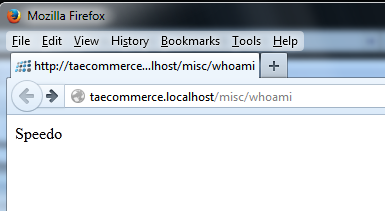
This is achieved by a MS Build trick.
- The brand projects are not referenced anywhere (very important)
- Therefore, when we build Debug, there will not be any brand specific dlls.
- We used build configurations to trick MS Build to dump the brand dll to the web project for relevant brands.
- Autofac reflection will pick up the brand dll if they exists, because of the way how Nop Dependency Register works.
Caution
- Use clean solution in between the building of different brand environments (to delete any brand dlls).
- Pay attention to the dlls in the Nop.Web bin folder. Occasionally the clean solution do not delete everything in the bin folder. Then we will need to manually clear this folder.
- Always check Who am I to make sure you are working in the right brand.
Further Improvement
- It is not so easy to deploy, as I need to build the project once per brand (so it will generate different dlls)
- Unfortunately in practice, clean solution doesn't always work. For anyone who familiar with MS Build, we could create pre-build event to properly clean up the solutions (instead of relying on Visual Studio)
- Combine MS Build with PowerShell, we can implement a way to "quick switch" dlls for different brands.


