Pages - Menu

nopCommerce Discount Rules Plugin - Exclude Sale Products

Scope

Create a discount rule plugin that when a user create a discount, they have the option to add requirement whether to include sale products to the discount or not.

We are currently on the latest nopCommerce 3.3 platform, as of today.

How it works

I went through the source code of how other DiscountRules plugin works and concluded the followings:
  • The relationship between Discount and DiscountRequirement is just a one-to-many FK relationship. One Discount have many DiscountRequirements.
  • Any properties such as which customer role is required, or how much dollar value to pass the requirement rule is stored in setting.
  • The setting key is defined within the plugin and transparent from the calling controller / services.
  • In XxxDiscountRequirementRule.cs, we define CheckRequirement() that will return true / false if the requirement is fulfilled. It reads the relevant settings to check the properties such as dollar value or customer roles for passing the discount rule. 
  • The rule file must implement the IDiscountRequirementRule interface.
  • The pattern for how the settings are stored are generally in this format. string.Format("DiscountRequirement.xxx-{0}", discountRequirement.Id)
  • There is an ajax call in the view that does a post back to the XxxController.Configure when saving the DiscountRequirement. 

Steps

Create the project

Following my previous post How to write a nopCommerce plugin I have created a new project called DiscountRules.SaleProduct from other DiscountRules plugin.

Model

I added a boolean property in the RequirementModel to indicate if we want to include sale products.

public bool IncludeSales { get; set; }

View

The project I copied from were using DropDownList, I changed to CheckBox and modified the Ajax call that post back the property to the controller. Make sure to follow the pattern on suffixing the requirement id to the setting, as the screen can have multiple instance of the same rule.


Change the controller name in the ajax post back to match the new plugin name.

Controller

Modified the Configure method to work with the Ajax post back call. Make sure the parameter names match.

XxxDiscountRequirementRule.cs

This CheckRequirement() method is the magic method that we will put our logics in checking sale items in the cart or not, and we will return true / false accordingly to exclude sale products from discount. Hopefully the customers still happy...

Depending on your implementations, the code might look like something below and could be very simple.
public bool CheckRequirement(CheckDiscountRequirementRequest request)
{
    ...

    foreach (var product in cart)
    {
        if (product.SpecialPrice.GetValueOrDefault() > 0
            && product.SpecialPriceStartDateTimeUtc < DateTime.Now
            && product.SpecialPriceEndDateTimeUtc > DateTime.Now)
            return false;
    }

    return true;
}


Troubleshooting

While in debug mode developing the plugin, if you found the plugin not reset properly even after you rebuild the solutions or clear cache. You could try to clear the Temporary ASP.NET Files folder. If you get access denied because it is being used, try delete the w3wp.exe from task manager. That will stop the IIS from accessing it.

nopCommerce Plugin - Reflection error about LoaderExceptions

Unable to load one or more of the requested types. Retrieve the LoaderExceptions property for more information.

Today trying to setup a few build configurations for my multi-tenant projects, so that I can use different web config transformation when working on different projects.

I came to an error complaining about pluginDescriptor.ReferencedAssembly reflection System.Reflection.ReflectionTypeLoadException. The error looks like this.


Solutions

It is basically the reflector try to look up the dlls for reflection and throw exception as dlls are not there.

I quickly went through the build configurations in one of my plugin project Nop.Plugin.Tax.FixedRate and found the following.


The new build configuration "DebugSpeedo" that I just added to the system had a default output path to the bin folder. It looks like the only place had the proper path (that puts the dlls inside the presentation layer for nop) was the "Debug" and "Release" configuration. 

It seems to me that we have to fix up the path for any new custom build configurations that we create. I have changed the output path value for "All Configurations" which hopefully, I will not see this issue again when I create more custom build configurations down the track.

Summary

It is a similar error as to the ones when we first create custom plugins, that we need to fix the output path. Just didn't expect I had to revisit it again.

nopCommerce - Painless Upgrade from 3.1 to 3.3

We are upgrading from our current nopCommerce 3.1 platform to the latest 3.3 version. It was a fair amount of works and efforts but not bad at all. Glad that I took away the pain by utilizing MVC and n-tier techniques in earlier days.

Walkthrough


  1. Pay attention to 
    1. Use NuGet to fix any packages.config package version issue.
    2. .net framework target
    3. Nop.Admin\sitemap.config
    4. Any RouteProvider, GenericUrlRouteProvider, DependencyRegister
    5. Themes Folder
    6. Custom keys in Web.Config
    7. Custom Controllers
  2. What I noticed
    1. BaseNopController now split into BasePublicController and BaseAdminController
    2. BaseNopPaymentController is renamed to BasePaymentController
    3. My payment plugin that implements IPaymentMethod now need to implement the SkipPaymentInfo method. This method is used by CheckoutController if payment info should be skipped. (Why don't we call it RequirePaymentInfo? ^^")
    4. CategoryNavigationModel.CategoryModel became CategorySimpleModel
    5. Follow compiler error, the followings are to be fixed
      1. Change from private to protected for methods or properties that was customized in the core.
      2. Recreate any hook
    6. For Kendo UI, replace,
      1. GridCommand -> DataSourceRequest
      2. GridModel -> DataSourceResult (and remove strongly type)
      3. Remove Grid Attribute
    7. Reinstall and fix any 7spike plugin issues. Be warned, the AjaxFilter one is problematic!!
    8. Our own custom plugins worked seamless :) Just need to update the supported version from 3.1 to 3.3, or else the plugin list won't load the plugins.
    9. Copy and replace Web.Config from other nop plugins to our custom plugins.

Thoughts

As you can see, there were lots of work involved but I wouldn't say it was upgrade-resistance. The Kendo UI upgrade was huge, but it is for a good sake. Telerik is just overdue to retire.

What do I need for upgrading from 3.3 to 3.4?
  • This cheat sheet
  • And, a cup of coffee.


BitCoin Hoax Email - Wrong Target Audience?


Received an hoax email about successful bit coin authorization today. Occasionally you get emails about winning lotto or inherit some money from your lost ancestors, but why bit coin?

BitCoin was certainly a hot topic in the recent years, but it is still among the more IT savvy who knows the digital world in and out. It seems a bit contradicting when an hoax email suppose to target someone less geeky?

To think out of the box, I am going to look at the email from a non-technical perspective.

  • BTC is an acronym short for Bit Coin, but not for general public.
  • Most people wouldn't click since there is no incentive like big lotto winning or money waiting for you.
  • For people who do own or use bit coin, there simply no such thing as invoice confirm. Bit coin is all about block chains.
It did however added some fun to my day while I am doing branching and merging. :)


eCommerce store review - Kmart

Kmart is a large department store that sells clothes, stationary, electronics etc in Australia.

I was trying to search for some "Wii U" stuff in Kmart and as we know, that implies the Nintendo Wii U game console stuff.

A little disappointed to see what I get back in the search result. I ended up with a bunch of U-shaped pillows with no Wii.

http://www.kmart.com.au/webapp/wcs/stores/servlet/SearchDisplay?searchTerm=wii+u&categoryId=&storeId=10701&catalogId=10102&langId=-1&pageSize=15&beginIndex=0&sType=SimpleSearch&resultCatEntryType=2&showResultsPage=true&searchSource=Q&pageView=&orderBy=5


Technical Insight

How it works?

The site used "or" clause in their search. It means they are trying to match any products that have "Wii" or "U" in the product keywords / names / descriptions. Thus the result set is not relevant to what was intended.

What happen to the Wii? My logic is simple. They didn't have any Wii products online but only their brick and mortar store.

How would I do better?

  1. One way I can think of is to add ban word to the pillow products to disallow them showing up in a search of "Wii anything".
  2. Another way is to give the user an advance options so they can choose to use "or" or "and" for their keywords. (This one is quite commonly found as it is easier to implement.)
  3. Take out ambiguous or noise words from keyword such as "U"

SQL Server - Transaction log chewing up harddrive space

Scope

In a production server that have Recovery Model set to Full mode, it is easily noticeable the transaction log will grow to some unmanageable size in a short period of time depending on the number of activities of the database.

Steps

There are numerous ways to do it, and depends on different version of SQL Server. I found this is the easiest and worked across the board.


Backup

Do a full backup before we begin. This will create a last well known tlog backup as we are about to destroy the chain.

Ideally you want to switch your website off during this operations. Otherwise there will be no logging during this operation time. I personally think that's not a big deal, but I thought I will point it out anyway.

Truncate

Change Recovery Model to Simple Mode. This is to truncate the transaction log. 


Shrink

Run command to shrink the log.

exec sp_helpdb database_name

DBCC SHRINKFILE (transaction_log_name, 1)

exec sp_helpdb database_name


Change Recovery Model back to what it was - Full Mode

Backup Again

At this point, I prefer to do another full backup. It is not compulsory, but will clearly define where the new tlog chain begin.

Further Reading

nopCommerce - Hello World to Multi Tenancy

Finally, it is about time to do some multi tenant works. Let's recap my goal and how I am travelling so far.

Scope

  • Build a multi tenant e-commerce platform for 15 or more international brands.
  • They are completely different brands and target consumers are completely different.
  • They will share some similarities in terms of functionalities but there will be customizations for individual brands
  • Administrator of a brand can only see stuff about their own brand.
  • Easy to develop
  • Easy to deploy
  • Easy to maintain
  • There is NOT necessary a super admin role to overlook ALL the brands.
  • Customers are NOT shared across brands.

Preparation

So far, I have built my first brand with the above scope in mind, the following strategies were implemented.

Specification

Since our first site went live, we are now ready for our next brand and the following needs to bear in mind with the followings:
  • Separate the brand specific codes in separated dll.
  • Database to be considered at later stage.
  • No brand specific code at controller level.
  • Views for different brands are handled by Nop Theme.
  • We will deploy for all the brands from the same Visual Studio Solutions.

Decision Making

Get Dirty with Code


Project Setup

Notice I am skipping some of the steps and only covering the key points. (eg. Add references, routes, register dependency etc...) They are covered previously.


I created a Misc Service and an interface for our platform.


Then I create brand specific services in the relevant projects.


Build Configuration

With the default Debug configuration, we will clone a set of new build configs per projects. In each build, we only include one brand dll at a time. (Only service dll in this example)


Only for the relevant build configurations of the brand projects, we will set the dll output path to the same as the Nop.Web project.


Controller

We setup a controller that will consume ITAMiscService and return the brand name. Notice how the controller does not have knowledge to the concrete class but only the ITAMiscService interface.


Hello World to Multi Tenancy


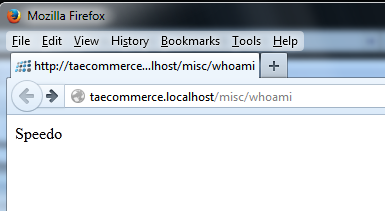
Who am I?

By changing the build configuration, I am able to change my workspace to the corresponding brand.


This is achieved by a MS Build trick.
  • The brand projects are not referenced anywhere (very important)
  • Therefore, when we build Debug, there will not be any brand specific dlls.
  • We used build configurations to trick MS Build to dump the brand dll to the web project for relevant brands.
  • Autofac reflection will pick up the brand dll if they exists, because of the way how Nop Dependency Register works.

Caution

  • Use clean solution in between the building of different brand environments (to delete any brand dlls).
  • Pay attention to the dlls in the Nop.Web bin folder. Occasionally the clean solution do not delete everything in the bin folder. Then we will need to manually clear this folder.
  • Always check Who am I to make sure you are working in the right brand.

Further Improvement

  • It is not so easy to deploy, as I need to build the project once per brand (so it will generate different dlls)
  • Unfortunately in practice, clean solution doesn't always work. For anyone who familiar with MS Build, we could create pre-build event to properly clean up the solutions (instead of relying on Visual Studio)
  • Combine MS Build with PowerShell, we can implement a way to "quick switch" dlls for different brands.