Pages - Menu

Showing posts with label SEO. Show all posts

Google AMP Hackathon 2017

Google AMP Hackathon

Recently got invited by Google to join their AMP Hackathon at the Sydney HQ. Very exciting opportunity to get my hands dirty with the engineers from the Google AMP team. Here are some prerequisite courses that we have to do before the day.

Hackathon

The performance of AMP is very impressive, it is not hard to see pages loaded in under 2 seconds, and here is the trade off for the speed.
  • No external JS (aka no React / Angular etc)
  • No external CSS (no bootstrap)
  • Inline CSS limit to 50kb
As we can see immediately why the site can be loaded at such lightning speed. As their engineer described, "it is very hard to make amp page to load slow".

During the hackathon, I went for a harder piece of work. I was trying to build the sorting filter in the product listing page by using amp-bind and amp-list, similar to one of this.

This is what a product listing page looks like on our site.


My attempt of our product listing page by using AMP.


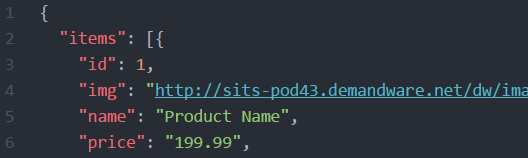
Using amp-bind and json to render the sorting options in amp-list.

<select on="change:AMP.setState({
  src: '/json/related_products'+event.value+'.json'
})">

<amp-list class="items"
  width="600"
  height="900"
  layout="responsive"
  src="/json/related_products.json"
  [src]="src">

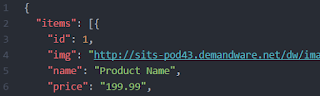
The last part is to assemble the json for the amp-list to consume and presented by amp-mustache. The json is exposed from our back end system.

PWA

In their presentations, we also briefly went over the PWA stuff. Seems like an interesting combo to use both AMP and PWA by using the amp-install-serviceworker component.

Additional Readings

Photos

Had a little guided tour in the office and snapped some photos with my mobile phone.


Corridor and lift area look like a train carriage.


Setup a Tealium Tag by Data Layer and Extension

Scope

Tealium is a powerful tag management tool. Adding a tag is easy and straightforward, but things get a little complicated when I was trying to convert a tag to share between sites in our multi-tenant environment. 

I found some documentations but not examples on this topic, so I decided to make one and hope to serve well for those who maybe in need.

Steps

Tag

The simplest way to add a tag is by going to the Tags tab and click Add Tag. In this example, we are adding a Rakuten Linkshare tag with an example merchant id 12345.


Data Layer

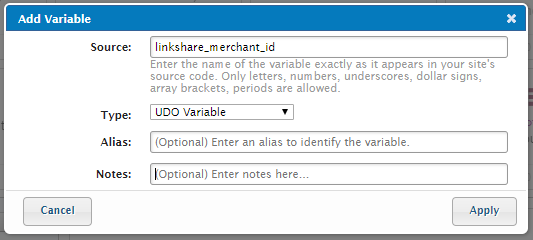
Defining a variable in data layer is useful when we want to pass dynamic data to a tag.


Extension

In an extension, we can apply technical and business rule to assign different values to a variable, so we can share the same tag between multiple-tenant sites.

Instead of hard coding the merchant id 12345, I am now able to setup a rule to assign different ids to different sites base on different rules.


Data Mapping

Finally, we can map this variable to our tag. The destination should be the javascript query string variable name depending on the technical spec of the image tag.

<img src="http://track.linksynergy.com/ep?mid=xxxx&ord=xx&skulist=xxxx&qlist=xxx&amtlist=xxxx&cur=xxx&namelist=xxxxx">

For rakuten, it is the mid that we need.


Load Rules

Optionally, we can conditionally load the tag depending on business/technical requirements. For the rakuten tag, we only want to fire on the order confirmation page, so we will create a rule for the definition of order confirmation page.


Final Tag

Finally, the tag will look like this. Noticed now we can leave the merchant id empty, and the Tealium will do the magic by using the Data Layer and Extensions.


SEO - Site, Fetch and Submit

Scope

I have a developer background and know absolute nothing about how Google SEO works, besides the fact that I know it is important to get a site become popular in a Google search.

This is an important topic for me to learn in 2014, and I will slowly uncover the technical parts one after one by blogging them.

Search within Site

This is a very useful function to keep track of what pages are currently indexed by Google. This can help identify what pages are missing or what the page result will look like to users in a google search.

To perform a site search, the syntax is like this, type the whole string in a google search box.

site:www.domain.com

A result will look like this, it returns all pages of a domain. It works for both naked domain or subdomain.


Fetch and Submit

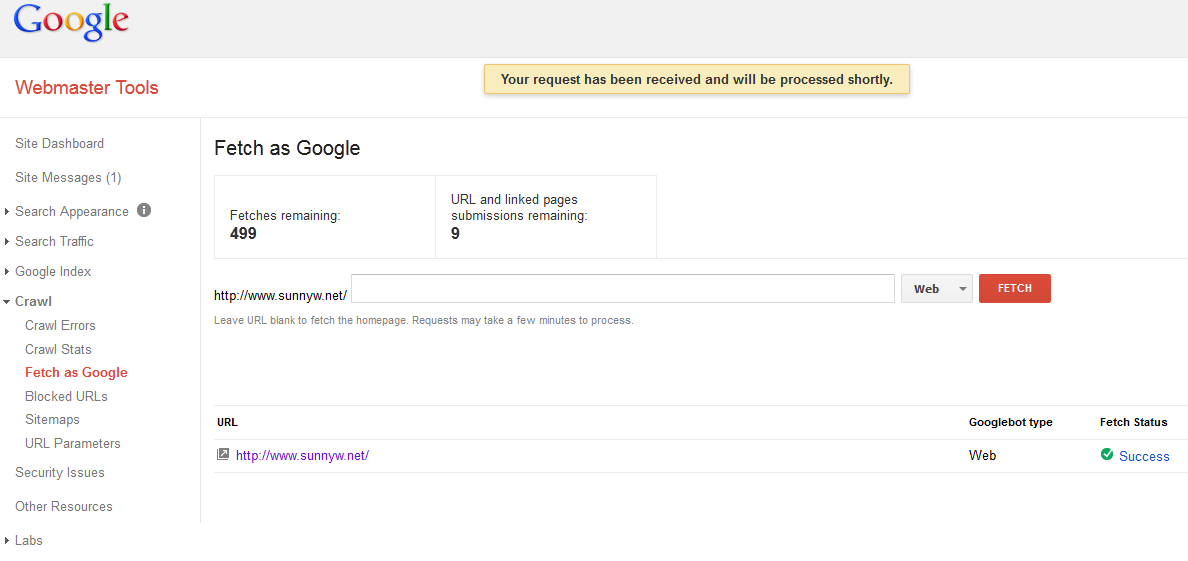
Fetch will force Google to crawl a URL. This is useful when you have just updated meta information or you have a new page that you might want Google to reindex.

Submit will force Google to reindex the page. Think of it like a commit command for your source code repository. After your fetch, you must submit to Google or Google will not reindex it.

These are done via the WebMaster Tool.
https://www.google.com/webmasters/tools